<?xml version="1.0" encoding="UTF-8"?>
<account_Output:customer_Output 		xmlns:account_Output="http://www.metamatrix.com/account_Output" 	xmlns:xsi="http://www.w3.org/2001/XMLSchema-instance">
	<customer_Output_Instance>
		<customerid>CST01033</customerid>
		<firstname>Alexander</firstname>
		<lastname>Franken</lastname>
		<middlename>Horst</middlename>
		<streetaddress>Berliner Platz 85</streetaddress>
		<streetaddress2 xsi:nil="true"/>
		<city>Munich</city>
		<stateprovince xsi:nil="true"/>
		<postalcode>80806</postalcode>
		<country>Germany</country>
		<phonenumber>0890877435</phonenumber>
	</customer_Output_Instance>
</account_Output:customer_Output>Create a Web service
In this lab, you will be utilizing the Teiid Designer and JBDS to create a Web service. It should be noted that this lab is not a guide on Web services or how or when to use them. Rather, this is an instructional approach for some of the advanced capabilities of Teiid Designer.
Where are we?
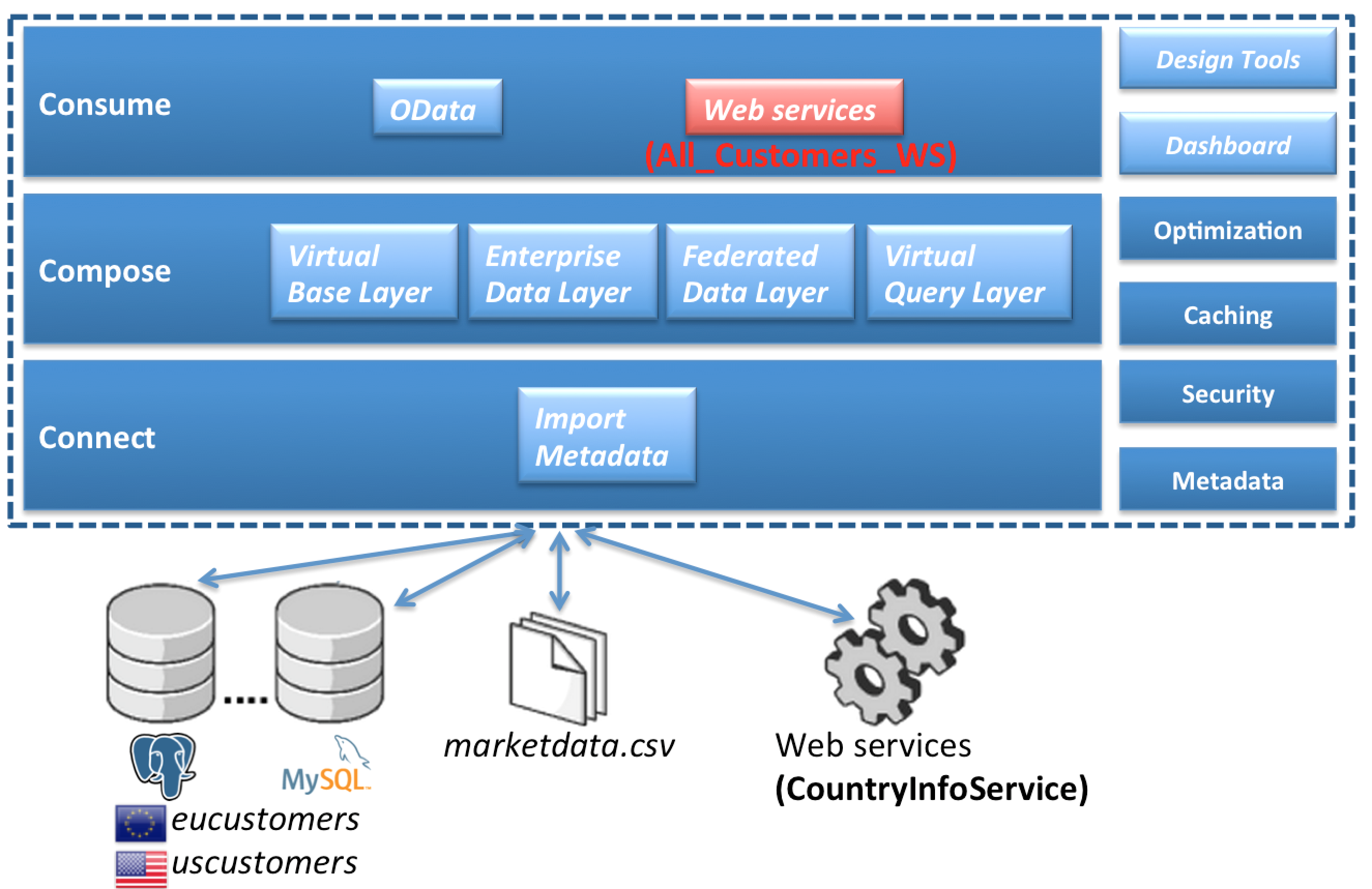
Create a Web service
To begin, right-click on the All_Customers.xmi model in the FederatedDataLayer folder and select option menu:Modeling[Create Web Service]. This is indicated in the illustration below.


This will bring up the following wizard.

In order to keep things organized, be sure to select “Browse” and select the WebServices folder we created in an earlier lab. This will drop all web service artifacts within this folder. Then, click btn:[Finish]. If the generation was successful, the following result will occur.
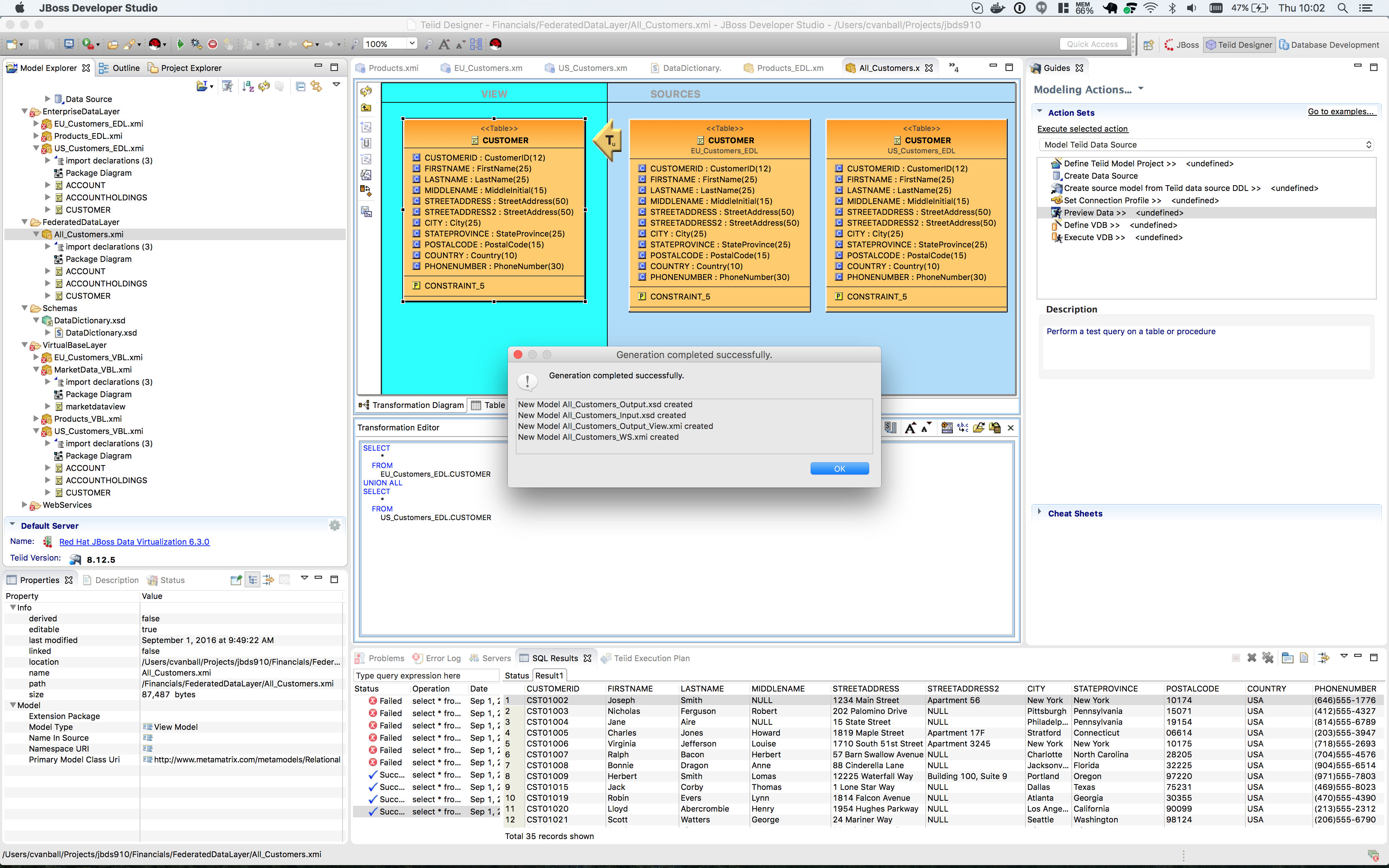
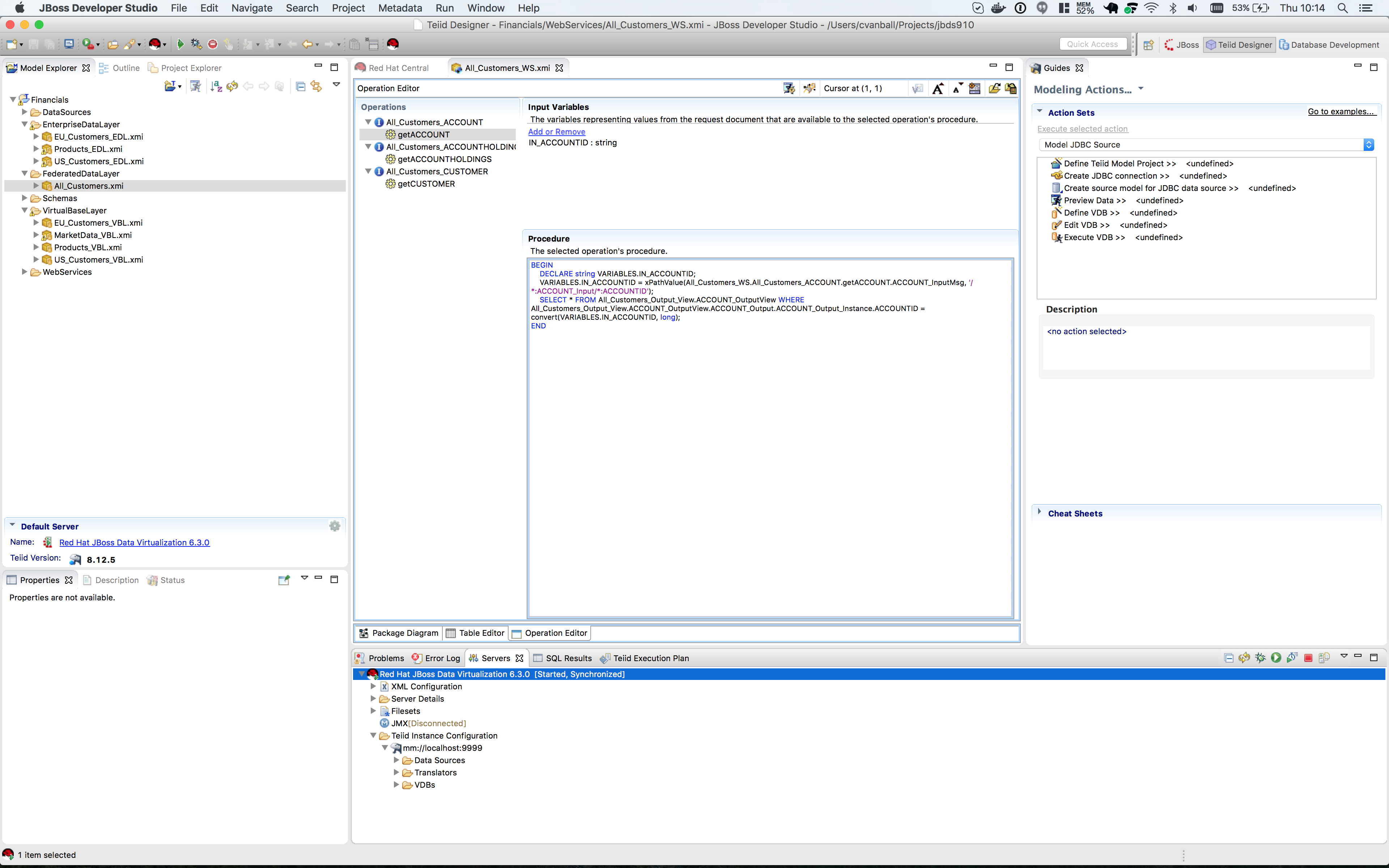
The generated Web Service will open after clicking btn:[OK]. Your Teiid Designer view should resemble that below.
|
Note
|
Preview data on Web Services is not activated. Use tools like SoapUI to test SOAP/REST services. |
To validate the generated Web Service one have to create a SOAP war file first and deploy the generated SOAP war to the server.
Right-click on the Financials VDB and select menu:Modeling[Generate SOAP War]
Deploy the generated SOAP war file to $JDV_HOME/standalone/deployments The Web Service WSDL should be available http://localhost:8080/Financials/All_Customers_CUSTOMER?wsdl
Use i.e. SoapUI (http://www.soapui.org) to test the Web Service previously created.
Upon inspection the XML output of the Web Service invocation should show similar results as indicated below.
Congratulations, you have now completed this lab.